
Updated: September 25, 2026
Video has become one of the most important content formats for businesses looking to attract customers, explain products, and strengthen their online presence. From social media campaigns and advertisements to customer testimonials and training materials, companies are creating more videos than ever before.
However, producing professional videos consistently requires time, resources, and editing expertise. Businesses often struggle with reviewing large amounts of footage, creating multiple versions, maintaining brand consistency, and completing repetitive editing tasks.
AI video editing tools are helping businesses overcome these challenges by making the production process faster and more efficient. These platforms can assist with editing workflows, improving video quality, and creating content variations without requiring every step to be completed manually.
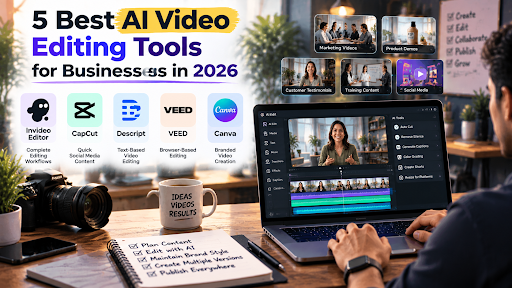
Choosing the right AI video editing tool depends on a business’s content goals, workflow requirements, and the level of control needed. Below are five AI video editing tools businesses should consider in 2026.
1. Invideo Editor
Invideo Editor is an AI-powered video editing platform designed for businesses and creators who want to simplify video production while maintaining control over the final output.
Many businesses spend significant time managing raw footage before the actual creative work begins. Reviewing recordings, finding important sections, removing unnecessary parts, and preparing different versions can slow down content production.
Invideo Editor helps streamline these workflows by combining AI assistance with a professional editing timeline. Businesses can use AI-powered features to support repetitive editing tasks while continuing to refine projects manually when needed.
It can support different content needs, including:
- Marketing videos
- Product demonstrations
- Customer testimonials
- Social media content
- Educational videos
For businesses producing content regularly, maintaining consistent visual quality is important. Invideo Editor helps improve video appearance through invideo’s color grading, allowing teams to correct exposure, balance colors, and create a consistent visual style across different videos.
This makes it useful for companies that want to create professional-looking content without adding unnecessary complexity to their editing workflow.
2. CapCut
CapCut is an AI-assisted video editing platform commonly used for short-form content and social media videos.
Businesses often use CapCut to create:
- Short promotional videos
- Social media posts
- Product clips
- Quick marketing content
The platform provides features such as templates, effects, captions, and automated editing options that help users create engaging videos quickly.
For brands focused mainly on social media content, CapCut can be a practical option because it simplifies the creation process. It is especially useful for teams that need to produce frequent short videos for platforms where speed and engagement are important.
However, businesses managing larger projects with complex editing requirements may need tools that provide more advanced workflow management.
3. Descript
Descript is an AI-powered video editing tool focused on simplifying editing through text-based workflows.
Instead of relying only on traditional timeline editing, users can edit videos by modifying the transcript. This approach is useful for businesses producing content where spoken communication is central.
Common use cases include:
- Podcasts
- Interviews
- Webinars
- Educational videos
- Customer conversations
Descript helps teams remove unnecessary sections, adjust spoken content, and create shorter versions of longer recordings.
For businesses that create a large amount of interview-based or educational content, transcript-based editing can reduce the time required to manage recordings.
4. VEED
VEED is an online video editing platform designed for businesses, marketers, and content teams that need browser-based editing solutions.
The platform offers features for:
- Video editing
- Captions
- Templates
- Branding elements
- Social media content creation
VEED can be useful for marketing teams that need to produce professional-looking videos without relying on advanced editing skills.
Its online workflow makes it easier for teams to create and manage content from different locations while maintaining a consistent production process.
For businesses focused on digital marketing and online communication, browser-based editing can help simplify collaboration and content creation.
5. Canva Video Editor
Canva Video Editor is a popular choice for businesses that already use Canva for design and marketing materials.
It allows teams to create:
- Social media videos
- Promotional content
- Presentation videos
- Branded visual assets
One of Canva’s strengths is its connection with existing brand design workflows. Businesses can maintain consistency by using the same colors, fonts, and visual elements across their marketing content.
For companies that prioritize simple video creation with strong branding control, Canva provides an accessible option.
How Businesses Should Choose the Right AI Video Editor
Selecting an AI video editing tool requires understanding what the business actually needs from its workflow.
Consider Content Type
Different businesses create different types of videos. A company producing short social media clips may need different features compared with a team creating interviews, product videos, or training materials.
Evaluate Editing Control
Some teams need complete control over every part of the final video. Others prefer faster workflows where AI can handle repetitive tasks.
Look at Scalability
As businesses increase their content production, they need tools that can support higher output without creating additional manual workload.
Consider Collaboration Needs
Marketing teams often involve multiple people in the content process. Features that support reviewing, editing, and managing projects can improve efficiency.
Conclusion
AI video editing tools are changing how businesses approach content creation. Instead of spending most of their time handling repetitive editing tasks, teams can use AI assistance to improve efficiency and focus on creative decisions.
Invideo Editor, CapCut, Descript, VEED, and Canva Video Editor each offer different advantages depending on business requirements. The right choice depends on the type of content being created, the level of editing control needed, and how the business plans to scale its video production.
As video continues to become a major part of digital marketing strategies, AI-powered editing workflows will help businesses create professional content faster and more efficiently.

Amir Siddiqui is a Digital Marketing Expert and SEO Specialist with over 8 years of experience helping businesses grow through data-driven digital marketing strategies. As the Founder of Web Marlins Pvt. Ltd., his core expertise lies in Search Engine Optimization (SEO), including Technical SEO, Local SEO, AI SEO, and content strategy. He has helped businesses across India, the USA, and the UAE improve search rankings, increase organic traffic, and generate high-quality leads through sustainable, results-focused SEO solutions.