
Updated: October 9, 2026
Many people, after launching a website, think that the work is done. Actually, it is not. The real work starts when a website goes live. That is when you get to know what users are experiencing and what problems they are facing.
A live website can still have various errors. These problems can hurt the user experience and search rankings. That is why you should follow a post-launch checklist. It helps you find and fix problems early.
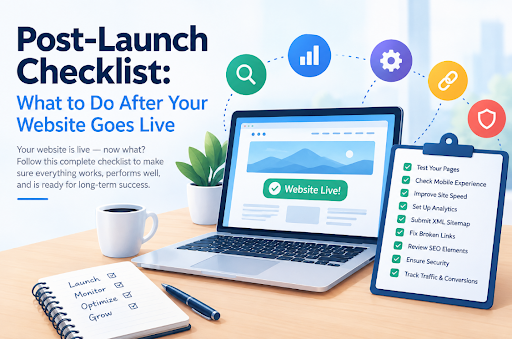
Post-Website Launch Checklist 2026
When a website goes live, the very first thing is to test it as a common user. The test should be performed on multiple devices with different screen sizes. During this testing, you have to check basics like whether designs remain intact, text is readable, buttons are accessible, and forms are working.
Besides the basic checks, next comes the technical side, which, if ignored, can be costly. For your convenience, we are compiling a list of essential checks that need to be performed after a website goes live.
Check Navigation
Start by using your website like a normal visitor. Open the main menu and visit your key pages. Click buttons and links to make sure they work. Also, look for:
- Broken links
- Missing images
- 404 pages
- Wrong page redirects
- Layout problems
Make sure visitors can move from one page to another without any trouble.
Set Up Google Search Console
Google Search Console helps you see how Google finds and indexes your website.
Add your website and verify ownership. You can verify ownership by adding an HTML tag to the header of your website. Or you can also verify ownership by adding TXT records in the DNS settings of the domain. After adding, wait for propagation. You can check the status via DNS Checker.
Once verified, submit your XML sitemap to Search Console. Then, check for indexing and crawling issues.
Review On-Page SEO Elements
On-page SEO is the backbone of a website’s organic marketing. It involves various basic elements that need to be taken care of. For example, you have to make sure that every published page has an optimized title and meta description.
Next, you have to review the content structure for individual pages. Check if proper heading hierarchy is being followed. After that, check the internal and external links that the content on the website includes. Make sure that the website is not pointing to any wrong or non-existent URLs.
If you replaced an old website, some URLs may have changed. Set up redirects from old URLs to the right new pages. Also, check your internal links. Fix links that lead to deleted or incorrect pages.
Measure Page Loading Speed
A slow website can frustrate visitors. It can also hurt your website’s performance in search. Test your homepage and important landing pages. Check both mobile and desktop versions.
Core Web Vitals measure parts of the user experience, such as loading speed, page stability, and how quickly a page responds. Check these metrics after launch. If some pages perform poorly, find the cause and fix it.
Large images often slow down websites. Compress them to reduce image file size before uploading them. You should also review scripts, plugins, and third-party tools. Remove anything you do not need. Caching and other performance settings can also help your pages load faster.
Validate SSL
Your website should use HTTPS on every important page. HTTPS connection is configured via SSL. Open different pages and check that the SSL certificate is implemented across the site. You can use an online SSL checker for assistance as well.
Test Email Integration
Look up the MX record to validate that email is configured properly. Next, submit your forms and check where the messages go. Make sure the right person receives each submission. Also, test automated emails. Check that they reach users and contain the correct information.
Keep Testing and Updating
A website needs regular care. Keep testing important pages and fixing problems. Update old content, improve page speed, fix technical SEO issues, and make changes based on user behavior.
Conclusion
Launching a website is only the first step. After it goes live, you need to test it and keep an eye on it. Check the links, SEO, speed, SSL, and email setup. Also, fix any issues you find.
Keep testing your website from time to time. This will help you keep it fast, safe, and easy to use. Most of all, it will help you give visitors a better experience.

Amir Siddiqui is a Digital Marketing Expert and SEO Specialist with over 8 years of experience helping businesses grow through data-driven digital marketing strategies. As the Founder of Web Marlins Pvt. Ltd., his core expertise lies in Search Engine Optimization (SEO), including Technical SEO, Local SEO, AI SEO, and content strategy. He has helped businesses across India, the USA, and the UAE improve search rankings, increase organic traffic, and generate high-quality leads through sustainable, results-focused SEO solutions.